PEPLINK UNIVERSITY  •  A WEST NETWORKS TRAINING RESOURCE (352) 316-7701  ·  SHOP PEPLINK →

Category: Uncategorized

  • SpeedFusion Boost: Real Throughput From a Single Link at a Remote Site

    SpeedFusion Boost: Real Throughput From a Single Link at a Remote Site

    Not every remote site has three links to bond. Sometimes all you can get is one 5G signal or one satellite dish — high-latency, variable, and frustrating. That is exactly what SpeedFusion Boost is for.

    What Boost does

    Boost accelerates a single high-latency link by managing how the tunnel uses it — smoothing out the variability so a lone 5G or Starlink connection delivers usable, consistent throughput instead of a sawtooth of spikes and stalls. It is the honest answer to “I only have one connection out here.”

    And it grows with the site

    The best part: the design does not change as the site matures. Start with one boosted link on day one. Add a second carrier or a wired drop later, and the same router bonds them — more throughput, more resilience, no forklift. Boost gets you connected now; bonding takes over as the site scales.

    One rugged Peplink router covers the whole arc, from the first trailer on a bare lot to a fully wired, multi-link site.


    If your disaster-recovery plan includes the word “failover,” you’re doing it wrong.

    SpeedFusion internet bonding means increased performance, more uptime, and no failover — because the session was already riding every link.

    Own your network. Peplink hardware is bought once and it lasts — it keeps bonding and routing with or without an active warranty or the cloud. No forced subscriptions, no required licenses.

    Learn the fundamentals at connectivity101.com.

  • Failover Is Not a Plan: Bonded Cellular for Mission-Critical Sites

    Failover Is Not a Plan: Bonded Cellular for Mission-Critical Sites

    On a jobsite, “we have a backup connection” sounds like a plan. Then the primary drops, the backup takes thirty seconds to come up, sessions reset, the POS reboots, the cameras blink offline — and you learn that a backup is not the same as continuity.

    The problem with the standby model

    Failover keeps a second link idle and switches to it after a failure. That switch is a visible outage, and the standby link is money spent to sit idle. Worse, standby links are the ones nobody tests — so you discover it was misconfigured at the exact moment you needed it.

    Bond instead

    SpeedFusion bonding runs every link at once. Two carriers plus a wired drop are one combined pipe; if any member drops, the others were already carrying the traffic. No switch, no gap, and you get the combined throughput every day instead of paying for an idle spare. For anything mission-critical — payments, access control, safety systems — that is the difference between an incident and a shrug.

    And remember the one rule that turns a good design into a reliable one: every new WAN you add must be enrolled in the SpeedFusion tunnel. A link that is plugged in but not in the bond does nothing when the primary fails.


    If your disaster-recovery plan includes the word “failover,” you’re doing it wrong.

    SpeedFusion internet bonding means increased performance, more uptime, and no failover — because the session was already riding every link.

    Own your network. Peplink hardware is bought once and it lasts — it keeps bonding and routing with or without an active warranty or the cloud. No forced subscriptions, no required licenses.

    Learn the fundamentals at connectivity101.com.

  • When the Microwave Link Burns Down: Connectivity for Remote & Heavy Industry

    When the Microwave Link Burns Down: Connectivity for Remote & Heavy Industry

    Remote industrial sites — mines, quarries, camps, laydown yards — often run on a single fragile backhaul: a microwave link, a lone fiber, a legacy VSAT. When it fails, hundreds of workers lose connectivity and operations stop.

    A real recovery

    At one remote mine, a fire severed the microwave link that carried the whole operation. West Networks stood up bonded connectivity by aggregating multiple low-earth-orbit satellite dishes into a FusionHub with SpeedFusion, reaching roughly 1.3 Gbps for 250-plus workers. SpeedFusion Boost kept the slower dishes from dragging down the faster ones, so the bond delivered far more than the sum of nervous individual links.

    Design for the day the primary dies

    • Bond diverse media — satellite, cellular, and any wired link — so no single failure is fatal.
    • Boost a high-latency link to get real throughput out of a lone satellite or 5G connection.
    • Manage remotely with InControl 2, because rolling a truck to a remote site is measured in hours, not minutes.

    The site that plans for its backhaul to fail is the site that never actually goes down.


    If your disaster-recovery plan includes the word “failover,” you’re doing it wrong.

    SpeedFusion internet bonding means increased performance, more uptime, and no failover — because the session was already riding every link.

    Own your network. Peplink hardware is bought once and it lasts — it keeps bonding and routing with or without an active warranty or the cloud. No forced subscriptions, no required licenses.

    Learn the fundamentals at connectivity101.com.

  • The Real Cost of Trenching Fiber to a New Build

    The Real Cost of Trenching Fiber to a New Build

    The line item on the estimate says “internet install.” The real cost is the calendar. Waiting on wired connectivity to a new site is one of the most expensive delays in a build — and one of the most avoidable.

    Where the money and months go

    • Construction & installation fees reaching $20,000 or more per site to trench fiber or copper.
    • Four to six months of ISP coordination, crews, and permitting — pushing back the opening date.
    • IT staff time burned on contract negotiations for every location.
    • Inconsistent quality at sites where the local ISP options are thin.

    The alternative is already on the pole

    5G coverage already exists at most new-build locations. A Peplink router with dual-carrier 5G and high-gain antennas turns that coverage into enterprise connectivity in hours, at a fixed monthly cost, with unlimited-plan bandwidth. Many operators keep it as the permanent solution and never order a wired line at all; others use it as day-one connectivity and add fiber later as one more bonded link.

    Either way, the site opens on schedule. That is the number that matters.


    If your disaster-recovery plan includes the word “failover,” you’re doing it wrong.

    SpeedFusion internet bonding means increased performance, more uptime, and no failover — because the session was already riding every link.

    Own your network. Peplink hardware is bought once and it lasts — it keeps bonding and routing with or without an active warranty or the cloud. No forced subscriptions, no required licenses.

    Learn the fundamentals at connectivity101.com.

  • Case Study: 48-Hour Site Connectivity vs a 6-Month Fiber Wait

    Case Study: 48-Hour Site Connectivity vs a 6-Month Fiber Wait

    A fast-growing drive-through chain, Salad and Go, hit a wall that every multi-site builder knows: getting broadband to a brand-new location took four to six months and tens of thousands of dollars in trenching, permitting, and ISP coordination. Every day without a connection was a day the site could not open, transact, or operate.

    The 48-hour answer

    West Networks replaced the wait with a standardized kit: a Peplink BR2 Pro with dual 5G, a rugged 24-port switch, and high-gain antennas. The first site was online within 48 hours of the first conversation — no trenching, no ISP contract, processing orders the same day the kit was installed.

    The numbers

    • Deployment cut from 4–6 months to under 48 hours.
    • Up to $20,000 saved per location in construction and ISP costs.
    • Zero support tickets in over a year of operation across the fleet.
    • Future broadband contracts cancelled — the chain never installed another line.

    “Our store operators love it because we haven’t had a support ticket in over a year. We cancelled all future broadband contracts and never installed another line since.”

    — Head of IT infrastructure, the chain

    On a construction timeline, connectivity is usually the last thing to arrive and the first thing everyone needs. Bonded cellular flips that order — it is there on day one.


    If your disaster-recovery plan includes the word “failover,” you’re doing it wrong.

    SpeedFusion internet bonding means increased performance, more uptime, and no failover — because the session was already riding every link.

    Own your network. Peplink hardware is bought once and it lasts — it keeps bonding and routing with or without an active warranty or the cloud. No forced subscriptions, no required licenses.

    Learn the fundamentals at connectivity101.com.

  • Cameras, Sensors, and Crews on One Network — No Hotspots

    Cameras, Sensors, and Crews on One Network — No Hotspots

    Cameras, sensors, and crews on one network — killing hotspot sprawl

    Walk a typical jobsite and count the cellular radios nobody is managing. Twenty crew hotspots in twenty pockets. Twelve security cameras, each shipped by the vendor with its own SIM. A time-lapse unit with another. Concrete maturity sensors with theirs. Equipment telematics. A badge reader. Every one of them is a separate bill, a separate point of failure, and a separate hole in your security posture — and nobody on the project owns the total.

    Let’s total it anyway.

    The sprawl bill

    • Crew hotspots: 20 × $50/month = $1,000/month. Over a 24-month job: $24,000.
    • Camera SIMs: 12 cameras × $30–$60/month = $360–$720/month. Another $9k–$17k over the job — usually buried inside the camera vendor’s invoice, so it never shows up as “connectivity spend.”
    • Sensor and telematics SIMs: call it another $100–$300/month across the long tail.

    Total: $1,500–$2,000 a month, $36k–$48k over a two-year job, for a pile of unmanaged single-carrier connections. That figure exceeds the cost of an enterprise-grade bonded network — you are already paying enterprise prices for chaos.

    And the money is the smaller problem.

    The security problem nobody scopes

    Every hotspot is an unmanaged network on your site. No content filtering, no logging, no segmentation. The password is on a sticky note in the trailer, which means the subcontractor’s subcontractor is on the same flat network as the laptop holding the pay applications. Project documents sync over connections your IT team has never seen. If your GC is chasing enterprise clients — healthcare, data centers, government — this is the paragraph in the security questionnaire you currently can’t answer.

    Cameras on their own SIMs are their own comedy: single-carrier, so “camera offline” tickets spike every time one tower has a bad afternoon, and each ticket is a vendor truck roll at $150–$300. The camera vendor eats it, prices it into next year’s contract, and you pay it anyway.

    The consolidation move

    Put everything on one bonded, segmented network:

    • Backhaul: one bonded gateway — a MAX HD2 bonding two carriers for most sites, a MAX HD4 with Starlink in the bond for big or remote ones. SpeedFusion hot-failover means the whole site rides through any single carrier’s bad day — including the cameras.
    • Distribution: AP One Enterprise access points across trailers, yard, and the rising structure.
    • Segmentation: four VLANs, minimum. Office (PM laptops, plans, VoIP — filtered and logged). Crew (internet access, isolated from office systems). Cameras/IoT (cameras, time-lapse, sensors, badge readers — locked to their management servers, nothing else). Guest/vendor (inspectors and visiting reps, sandboxed).
    • SIM management: a SIM Injector pools your data SIMs centrally — swap plans and carriers remotely instead of climbing to every device.

    The after picture

    Connectivity line items drop from twenty-plus to two: hardware you own (~$8k–$12k one-time) and pooled data ($300–$800/month). Against $1,500–$2,000/month of sprawl, the kit pays back in 6–12 months — and then it moves to your next job and pays back again. Camera uptime climbs because cameras now ride a multi-carrier bond instead of one SIM. Your camera vendor’s truck rolls fall, which is negotiating leverage at renewal. And your security questionnaire finally has real answers: segmented VLANs, central logging, one managed edge, every device visible in InControl.

    One network. One owner. One bill. The sprawl was never cheaper — it was just billed in pieces small enough to ignore.

    Talk to West Networks →
    Shop the solution →

  • Site-Wide Jobsite WiFi: 5G Backhaul + APs That Climb With You

    Site-Wide Jobsite WiFi: 5G Backhaul + APs That Climb With You

    Site-wide WiFi for a site that won’t stand still

    Office WiFi design assumes the building is finished. Jobsite WiFi design assumes the opposite: the site changes shape every week, the biggest RF obstacle on the property is the thing you’re building, and everything you install today gets unbolted at handover. Design for that honestly and jobsite WiFi is straightforward. Here’s the architecture we deploy.

    Layer 1: the backhaul — bond your way to real bandwidth

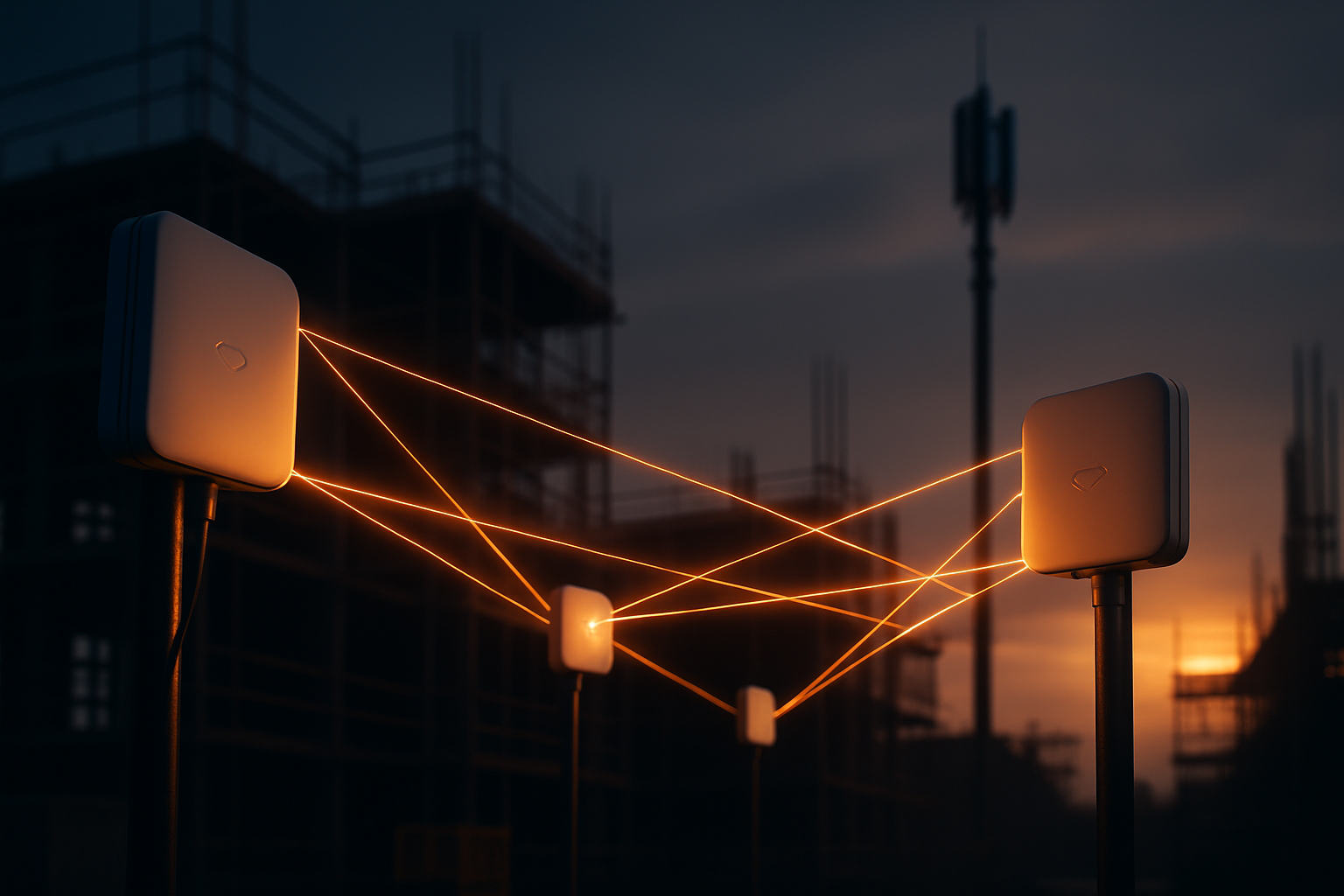
    Everything hangs off the internet uplink, so size it first. Forget single-carrier hotspots; the backhaul is a bonded cellular gateway that aggregates multiple paths into one connection with SpeedFusion:

    • Standard site: a BR2 Pro 5G with dual-SIM carrier redundancy — one strong carrier active, second carrier hot behind it.
    • Mid-rise commercial: a MAX HD2 bonding two carriers simultaneously — 200–600 Mbps aggregate in metro areas, and tower congestion on one carrier stops mattering.
    • Mega-site or thin coverage: a MAX HD4 bonding four carriers, with Starlink added into the bond as one more WAN path.

    Sizing rule of thumb: budget 1–2 Mbps sustained per active office user, 2–4 Mbps per HD camera stream, and headroom for burst events — a 4 GB drone photogrammetry upload, a full BIM model pull. A 100-person site with 12 cameras lands around 150–300 Mbps of comfortable aggregate, which is exactly the HD2’s territory. Need more later? Scale like Lego — add a carrier, add Starlink, add a modem. No construction quote required.

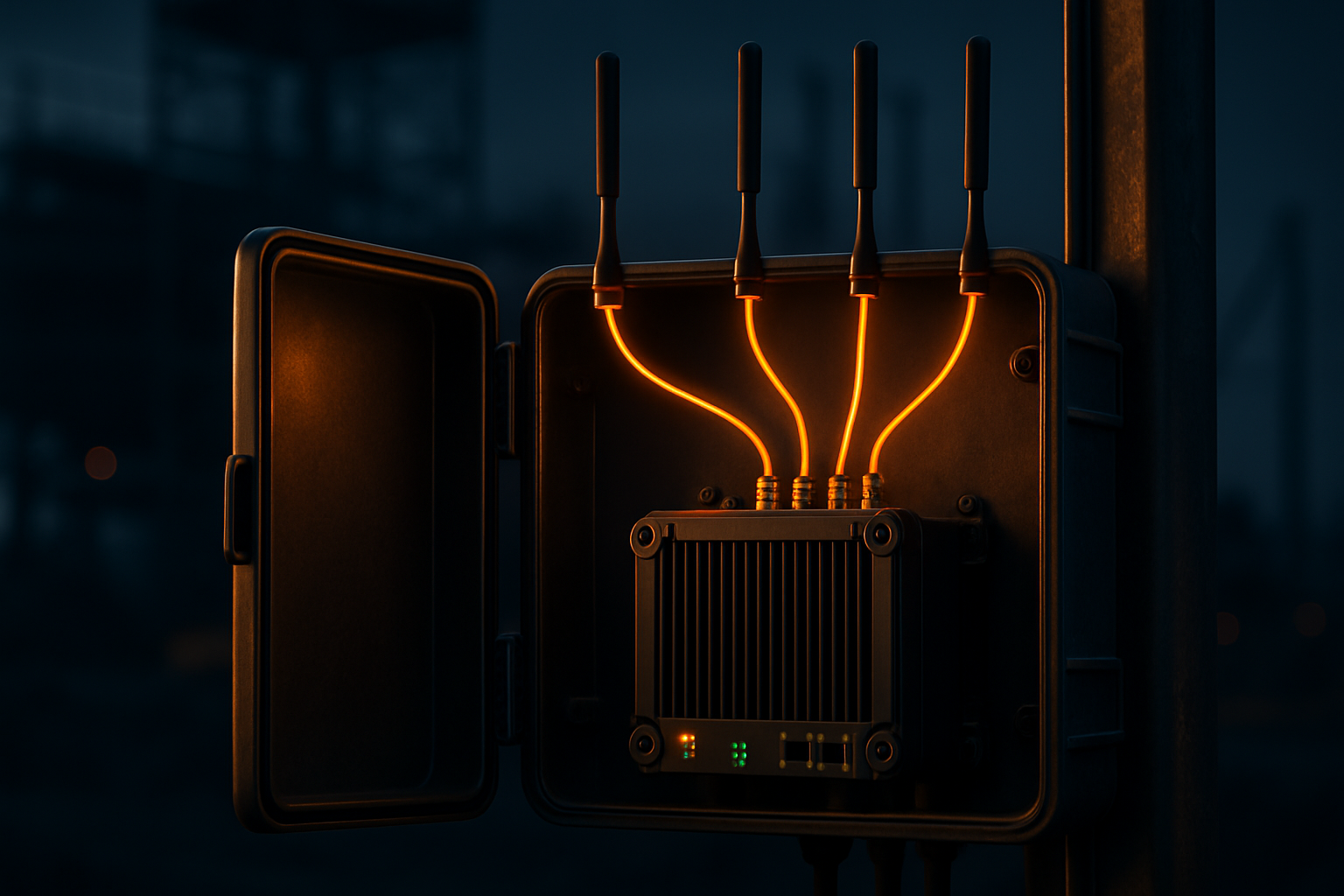
    Mount the gateway high on the trailer or a mast with the antennas outside the metal box, not inside it. A SIM Injector lets you pool and swap SIMs remotely — no ladder trips when you change data plans.

    Layer 2: distribution — AP One Enterprise everywhere people work

    From the gateway, AP One Enterprise access points carry WiFi to where the work is. Day-one placement for a typical mid-rise:

    • Trailer complex: one AP per trailer pair. PMs, plans, VoIP.
    • Laydown yard and gates: one or two APs in IP-rated enclosures — deliveries get scanned, access control stays online.
    • Camera positions: cameras and time-lapse units join the WiFi or wire into the nearest AP, on their own VLAN.

    Then the part office WiFi never deals with: the building rises, and coverage climbs with it. Concrete decks and steel kill signal floor-to-floor, so plan an AP “hoist run” — an access point every two to three floors, leapfrogging upward with the structure, powered from temp power and wired or wirelessly meshed back down. Crews on deck 8 pull current drawings on tablets at the work face instead of walking down to the trailer. Superintendents stop being human sneakernet.

    Placement is not precious. These are movable assets on a movable site; if a pour or a wall changes the RF picture, you move an AP twenty feet. Ten minutes.

    Layer 3: management — one dashboard, every site

    Every gateway and AP enrolls in InControl, Peplink’s cloud management. Your IT director — or West Networks as your managed operator — sees every site in the fleet: WAN health per carrier, per-AP client counts, data usage against plan, config pushed centrally. When the job ends, the whole kit re-tags to the next site in minutes. The design survives handover because you own the network, not the address.

    What this replaces

    One architecture, one bill, one dashboard — replacing twenty crew hotspots ($1,000/month, zero management), per-camera SIM plans, and the standing fiction that “the trailer has WiFi” while the deck crews have nothing. Total for a mid-rise Site-Wide WiFi Kit: roughly $8k–$12k one-time plus $300–$800/month pooled data. The trench alternative starts at $10k, tops $60k, arrives in months, and stays behind when you leave.

    The proof standard, as always: this same bonding stack holds live broadcast together at golf majors, F1, and SailGP. Your deck pour will not be the thing that breaks it.

    Talk to West Networks →
    Shop the solution →


  • Jobsite Internet on Day One — Stop Waiting 120 Days for Fiber

    Jobsite Internet on Day One — Stop Waiting 120 Days for Fiber

    Your jobsite needs internet on day one. Stop waiting 120 days for fiber.

    Here is a conversation that happens on almost every undeveloped site in America. The project team calls the carrier: “We’re mobilizing at 4200 Industrial Parkway in six weeks. We need internet.” The carrier runs the address, finds no facilities within reach, and comes back with two numbers: a construction quote somewhere between $10,000 and $100,000, and a lead time of 90 to 180 days. Sometimes the quote itself takes three to six weeks to arrive.

    Read those numbers again with a project manager’s eyes. On a 24-month job, a 120-day fiber lead time means you spend the first 17% of the entire project without the connectivity the project was supposed to have from day one. Steel is going up while your trailer runs on someone’s phone.

    And the money is worse than the wait. That $10k–$60k trench (up to $100k+ on rural infrastructure work) buys permanent infrastructure for a temporary need. When the job hands over, you walk away from it. Zero residual value. If you build four jobs on temp fiber, you’ve paid for four trenches and own none of them. ISPs know these are throwaway orders, which is exactly why temporary service addresses sit at the bottom of every provisioning queue.

    What the delay actually costs

    The trench line-item is the visible cost. The invisible one is bigger. General conditions on a commercial job run $10,000–$50,000 per day. RFIs, submittals, pay applications, daily reports, inspections — all of it now routes through Procore, Autodesk Construction Cloud, or something like them. A trailer with no real connectivity doesn’t stop work outright, but it slows everything that keeps work unblocked. If poor connectivity contributes to even one day of schedule slip over the life of the job, it cost more than an entire enterprise-grade wireless kit.

    Meanwhile the workaround economy blooms: twenty crew hotspots at $50 a month is $1,000 a month — $24,000 over a 24-month job — buying deprioritized single-carrier data with no security, no visibility, and no ownership. You end up paying more than a real network costs, for something that isn’t one.

    The New Enterprise answer: bond, don’t build

    The alternative isn’t “use a hotspot.” It’s a different architecture. Stop building infrastructure. Start bonding connectivity.

    A bonded 5G gateway — a Peplink BR2 Pro 5G for a standard site, a MAX HD2 with two cellular modems for dual-carrier bonding, a MAX HD4 with four modems for bandwidth-heavy mega-sites — takes every path available at your site and fuses them into one logical connection using SpeedFusion. Two carriers. Four carriers. Starlink where coverage is thin. An existing circuit if one ever shows up. Each path is just another lane in the same pipe.

    Three properties fall out of that architecture:

    1. Zero-day deployment. The kit ships pre-configured. Your superintendent connects power and antennas the morning the trailer lands, and the site is online that day. Not day 120. Day one.
    2. Unbreakable by bonding. Hot-failover and WAN smoothing mean no single carrier outage, tower congestion event, or satellite blip takes the site down. A single trenched circuit is a single point of failure; a bond has no single anything.
    3. Real bandwidth. A dual-modem HD2 commonly delivers 200–600 Mbps aggregate in metro areas. That is BIM model syncs in minutes and drone survey uploads before lunch — not overnight.

    The math, side by side

    For a 24-month mid-rise job:

    Temp fiber Hotspot sprawl Bonded 5G kit
    Upfront $10k–$60k ~$2k $8k–$12k
    Monthly $500–$2,000 ~$1,500 (hotspots + device SIMs) $300–$800 pooled
    24-mo total $22k–$108k ~$38k $15k–$31k
    At handover Abandoned Nothing owned Kit moves to the next job

    That last row is the one that changes the business case permanently. The bonded kit is the only option in the table that is an asset. Amortize a $10k kit across four consecutive jobs and connectivity capex drops to $2,500 per site — roughly a week of hotspot-and-SIM sprawl spend. Own it, don’t rent it.

    This isn’t experimental

    The same SpeedFusion bonding architecture carries live broadcast at golf majors, Formula 1, and SailGP. It keeps ambulance fleets and mobile mammography units connected on the move. Offshore, vessels bond four to twenty Starlink terminals into a single pipe. A jobsite trailer that stays in one place for two years is the easy case.

    The next time a carrier quotes you 120 days, the correct answer is: “Don’t bother.” Your site can be online before their quote clears their own approval process.

    Talk to West Networks →
    Shop the solution →


  • The Future of Off-Grid Security Solutions

    The Future of Off-Grid Security Solutions

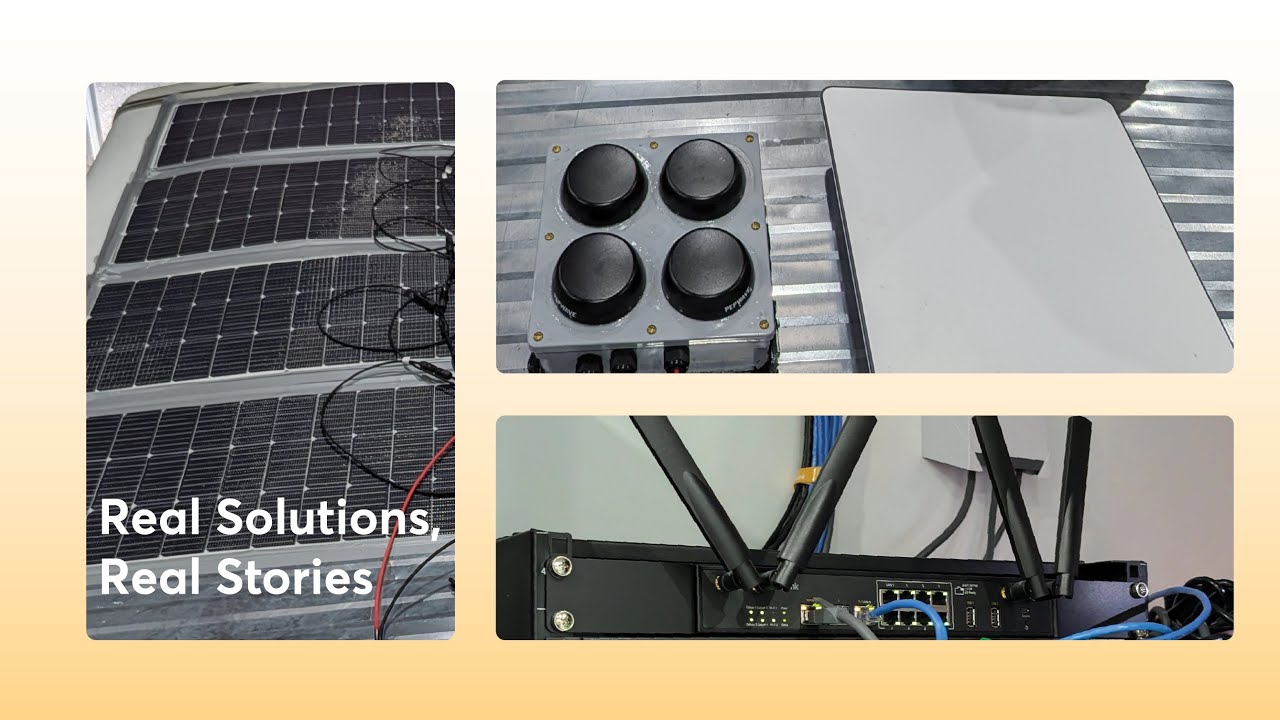
    Diving into a bold real-world use case where Starlink, 5G, solar power, and Peplink’s reliable connectivity come together to support mission-critical operations.

    Watch: The Future of Off-Grid Security Solutions · Peplink University

    Peplink University Webinar Recap: Real Solutions, Real Stories – The Future of Off-Grid Security Solutions

    In a recent Peplink University webinar, customer testimonials highlighted how Peplink's advanced networking solutions enhance reliability, reduce costs, and improve connectivity across various industries. Here's a summary of the key points discussed:

    Peplink University Webinar Recap: The Future of Off-Grid Security Solutions

    In a recent Peplink University webinar, customer testimonials showcased how Peplink's advanced networking solutions enhance reliability, reduce costs, and improve connectivity across various industries. Key highlights included:

    • Customer Journeys : B3 Software shared their transition from basic routers to advanced Peplink solutions, improving network stability and reducing costs.
    • Innovative Solutions : Peplink's combination of Starlink, 5G, solar power, and their own technologies ensures reliable connectivity in off-grid environments.
    • Power Management : Redundant power solutions and solar integration provide continuous operation during outages.
    • Remote Management : The InControl platform enables centralized management and real-time tracking, with features like the Panic Button for emergencies.
    • Cost-Effective Options : Affordable devices like the B1 and MBX support real-time video streaming and data transfer.
    • Real-World Applications : Peplink's solutions are used in trailers and mobile command vehicles, ensuring reliable connectivity and power for mission-critical operations.

    Peplink's innovative and reliable solutions continue to make a significant impact in off-grid security applications. Stay tuned for more stories from Peplink University!

    Related

    Comments are closed.

    Originally presented on Peplink University with Professor P. Now part of the Connectivity 101 library.